afwf Framework Overview
Summary
This document is for developers who want to use the
afwf framework to build Alfred Workflows.
It explains the core classes, the follow-up action model, and how everything fits together
into a fire CLI that Alfred calls via uvx.
Design Philosophy
afwf is minimal and focused. It solves the parts of Alfred Workflow development that are
genuinely painful — hand-crafted JSON, action routing, query parsing — and leaves everything
else to standard Python libraries. There is no HTTP client, no magic config system.
The goal is a Python-native development experience with full unit-test coverage.
Import afwf
All public API is in afwf.api:
import afwf.api as afwf
The Item Class
Item represents one entry in the Alfred dropdown menu.
Using a Python object instead of a raw dict eliminates typos in key names and gives you
IDE completion across the full
Script Filter JSON spec:
item = afwf.Item(
    title="Alfred Documentation",
    subtitle="Open in browser",
    arg="https://www.alfredapp.com/help/",
    autocomplete="alfred docs",
    icon=afwf.Icon(path="/path/to/icon.png"),
)
All set_* and action methods return self, so calls can be chained.
Follow-up Actions for Item
When the user presses Enter on an item, Alfred can take a follow-up action — open a URL, open a file, run a script, and so on. Alfred supports many action types:
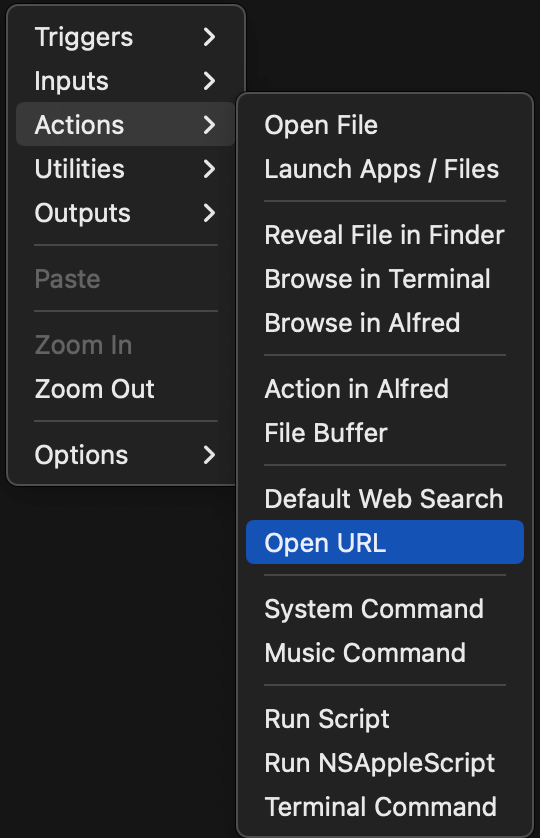
The challenge is that different items in the same Script Filter may need different actions.
afwf solves this with Alfred’s
Conditional widget and
Variables.
Each Item can carry a set of variables — key/value pairs that travel
with the item when the user selects it. afwf defines a fixed set of semantic variable keys
(see VarKeyEnum, VarValueEnum).
Calling an action method on an item sets the corresponding variable to "y":
item = afwf.Item(title="Open Alfred homepage", arg="https://www.alfredapp.com/")
item.open_url("https://www.alfredapp.com/")   # sets variables["open_url"] = "y"
In the Alfred Workflow diagram, you connect each Script Filter to its possible action widgets
through a Conditional utility widget that checks whether the variable is "y":
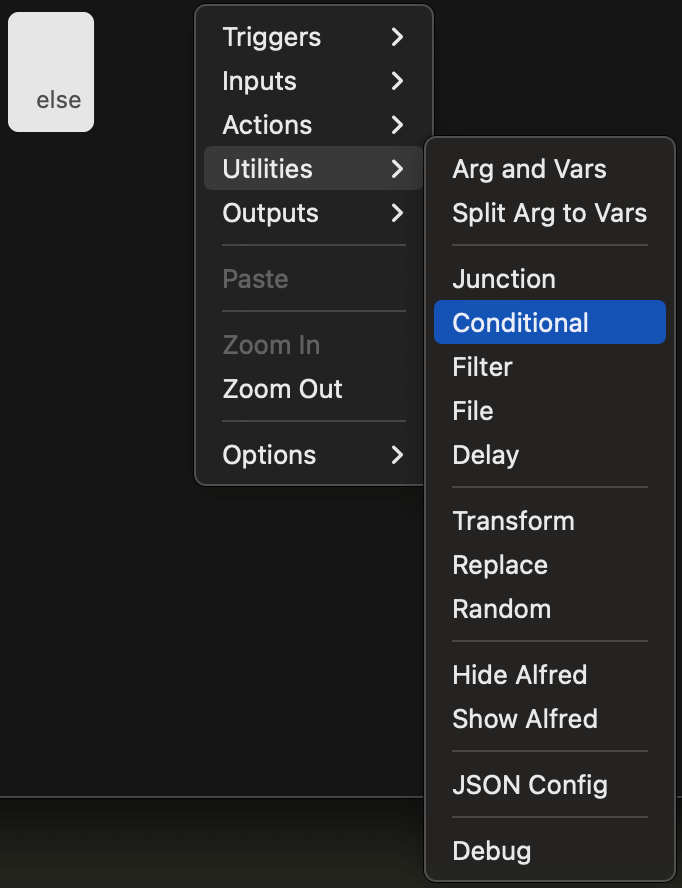

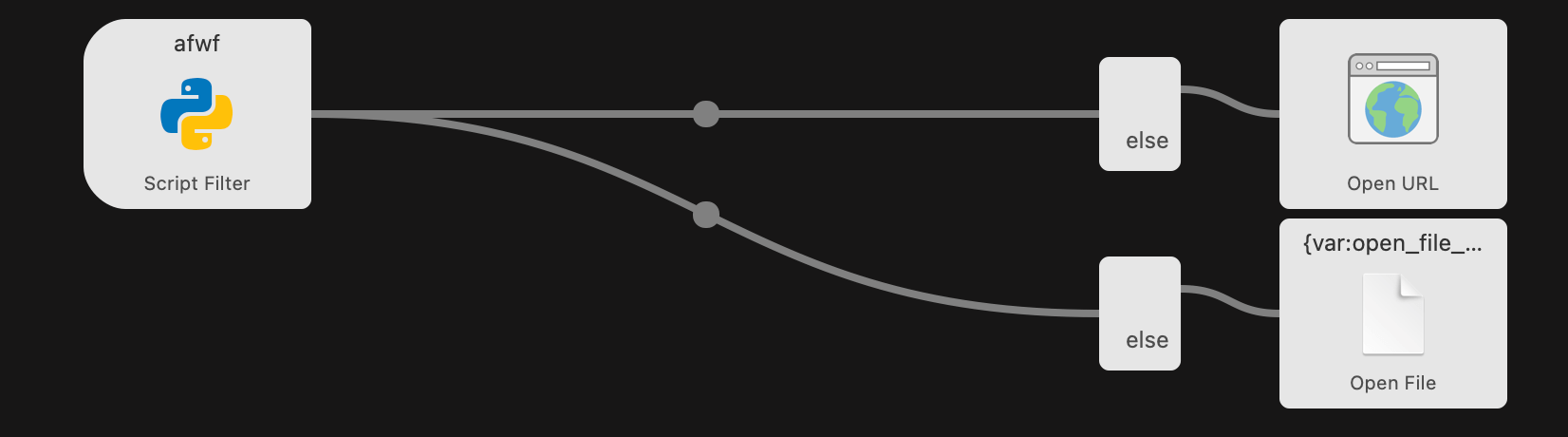
This way the diagram stays static — no matter how many item types you add, you never touch the diagram again. The Python code controls which action fires.
Below is a concrete diagram where items may trigger either open_url or run_script:
The full list of action methods on Item:
The ScriptFilter Class
ScriptFilter is the top-level response object.
Add items to it, then either inspect it in a test or send it to Alfred:
sf = afwf.ScriptFilter()
sf.items.append(afwf.Item(title="Hello"))

sf.to_script_filter()   # → dict  — use in unit tests to assert output
sf.send_feedback()      # → writes JSON to stdout, picked up by Alfred
Building a Script Filter Handler
Each Script Filter is a plain Python function that accepts a query string and returns a
ScriptFilter:
import afwf.api as afwf

def search_bookmarks(query: str = "") -> afwf.ScriptFilter:
    bookmarks = [
        ("Alfred App",  "https://www.alfredapp.com/"),
        ("Python Docs", "https://docs.python.org/"),
    ]
    sf = afwf.ScriptFilter()
    for title, url in bookmarks:
        item = afwf.Item(title=title, subtitle=url, arg=url).open_url(url)
        sf.items.append(item)
    return sf
There is no base class to inherit, no parse_query method to override.
The function is a pure Python callable — straightforward to unit-test without Alfred running.
For query parsing utilities see QueryParser and Query.
For automatic error capture see the log_error() decorator.
CLI Entry Point with fire
Expose each handler as a subcommand of a fire CLI:
# your_package/cli.py
import fire
import afwf.api as afwf
from .handlers import search_bookmarks, open_recent_files

class Command:
    def search_bookmarks(self, query: str = "") -> None:
        search_bookmarks(query).send_feedback()

    def open_recent_files(self, query: str = "") -> None:
        open_recent_files(query).send_feedback()

def main():
    fire.Fire(Command)
Declare the entry point in pyproject.toml:
[project.scripts]
my-workflow = "your_package.cli:main"
Each Alfred Script Filter maps to exactly one subcommand.
No main.py, no handler_id, no shared dispatcher.
Deployment with uvx
Publish the package to PyPI, then point Alfred’s Script field at it:
# production
~/.local/bin/uvx --from your-package==1.0.0 my-workflow search-bookmarks --query '{query}'

# local dev (pointing at your venv)
~/path/to/project/.venv/bin/my-workflow search-bookmarks --query '{query}'
uvx downloads, caches, and runs the pinned version on demand.
No virtualenv to maintain, no per-machine setup.
Upgrading a workflow is a version bump and a one-line change in Alfred.
Additional Helpers
IconFileEnum— paths to ~50 bundled PNG icons (search, folder, star, error, …)Text— controls the text shown onCmd+C(copy) andCmd+L(large type)QueryParser— configurable tokenizer for Alfred’s raw query stringQuery— structured container produced byQueryParserlog_error()— decorator that catches exceptions, writes the traceback to~/.alfred-afwf/last-error.txt, and returns a fallbackScriptFilterwith debug itemsVarKeyEnum,VarValueEnum— semantic variable key/value constants used by the action methodsModEnum— modifier key constants (cmd,shift,alt,ctrl)
What’s Next?
Now that you understand the core model, move on to the next document for a deeper look at optional utilities — fuzzy matching and disk caching — and the full deployment walkthrough.